> For the complete documentation index, see [llms.txt](https://eaclouddoc.eauditor.eu/llms.txt). Markdown versions of documentation pages are available by appending `.md` to page URLs; this page is available as [Markdown](https://eaclouddoc.eauditor.eu/eacloud-docs-en/features/ai.md).
# AI
Artificial intelligence supports IT administrators in daily operational work, data analysis, and enhancing IT environment security. AI features utilize machine learning, deep learning, and integration with language models to automate information analysis, generate problem solutions, and classify activity within the system.
The system provides several areas of AI application:
* eA Intelligence assistant
* intelligent log analysis
* website classification
* process classification
Each of these functions supports administrators in different tasks, from automatic script generation to detecting potential security threats.
## eA Intelligence - personal AI Assistant
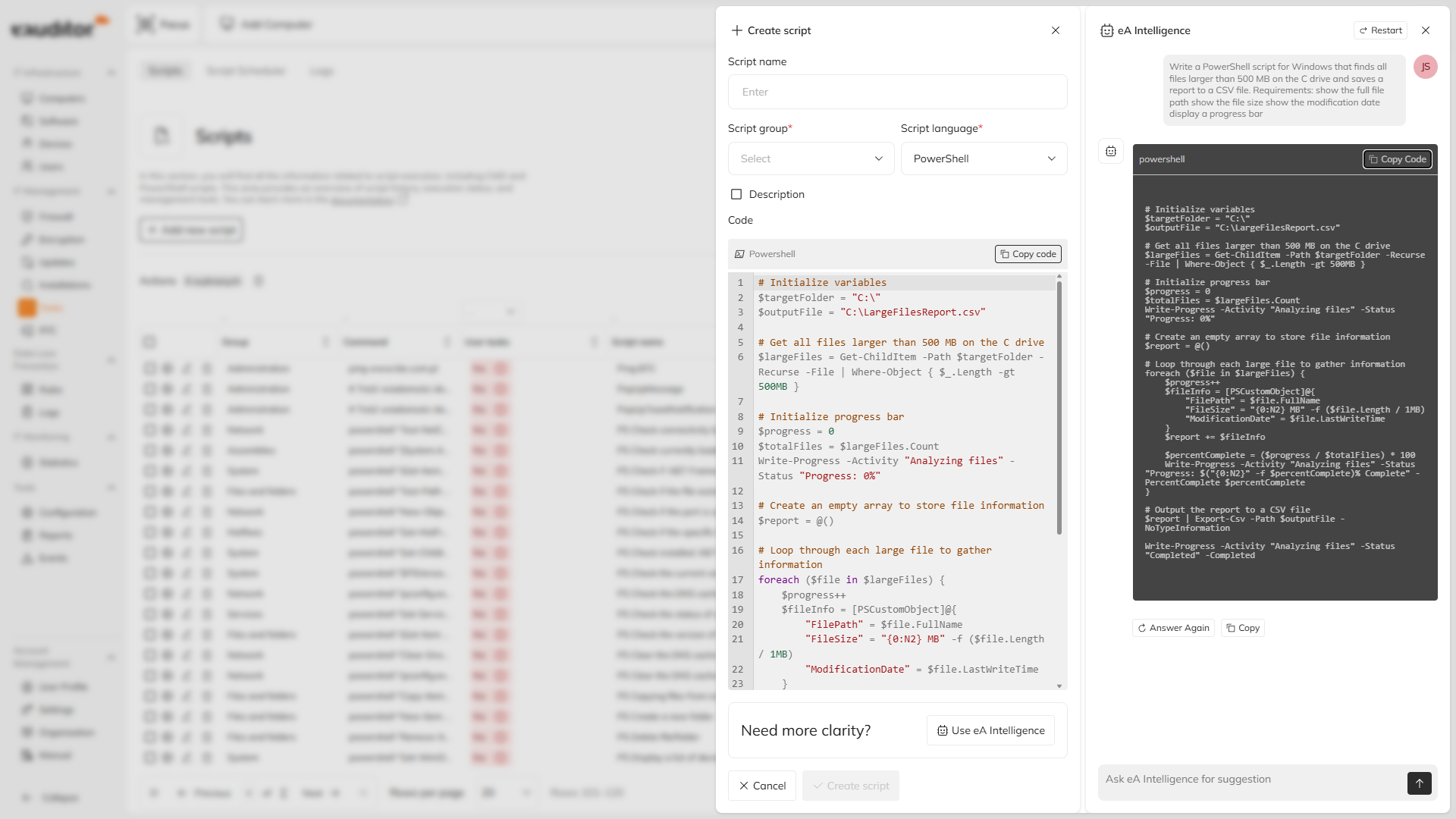
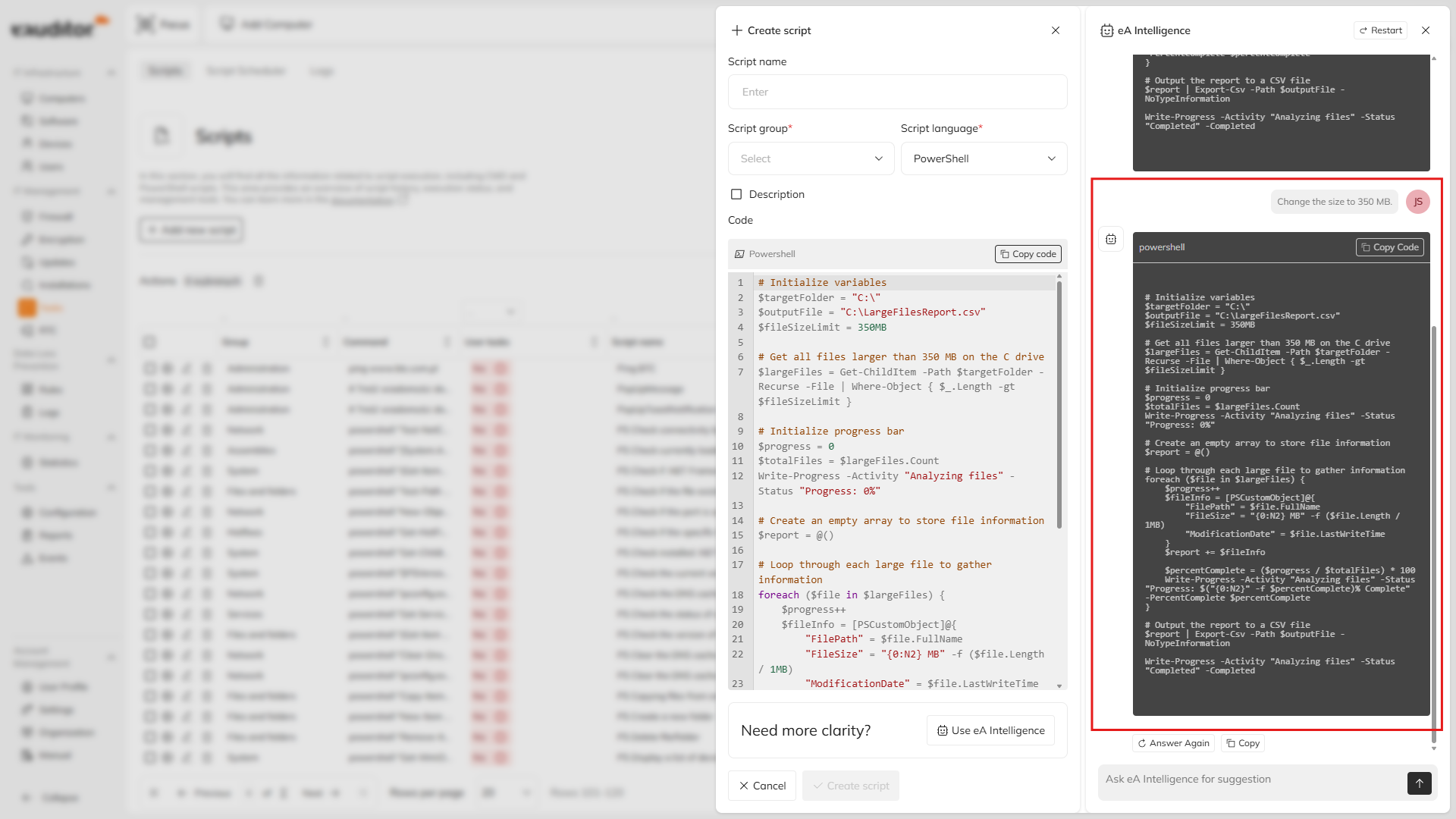
eA Intelligence is a built-in AI assistant available within the eAuditor cloud environment. It enables natural conversation with the system and supports administrators when working with CMD and PowerShell commands. The assistant has awareness of the context of ongoing operations and can generate, analyze, and improve administrative scripts. As a result, many administrative tasks can be completed much faster without the need to manually prepare commands.
An administrator can describe in natural language the task they want to perform, and the system will generate the appropriate script with correct syntax.
#### Key capabilities
* contextual communication with the AI assistant
* generation of CMD and PowerShell scripts based on task description
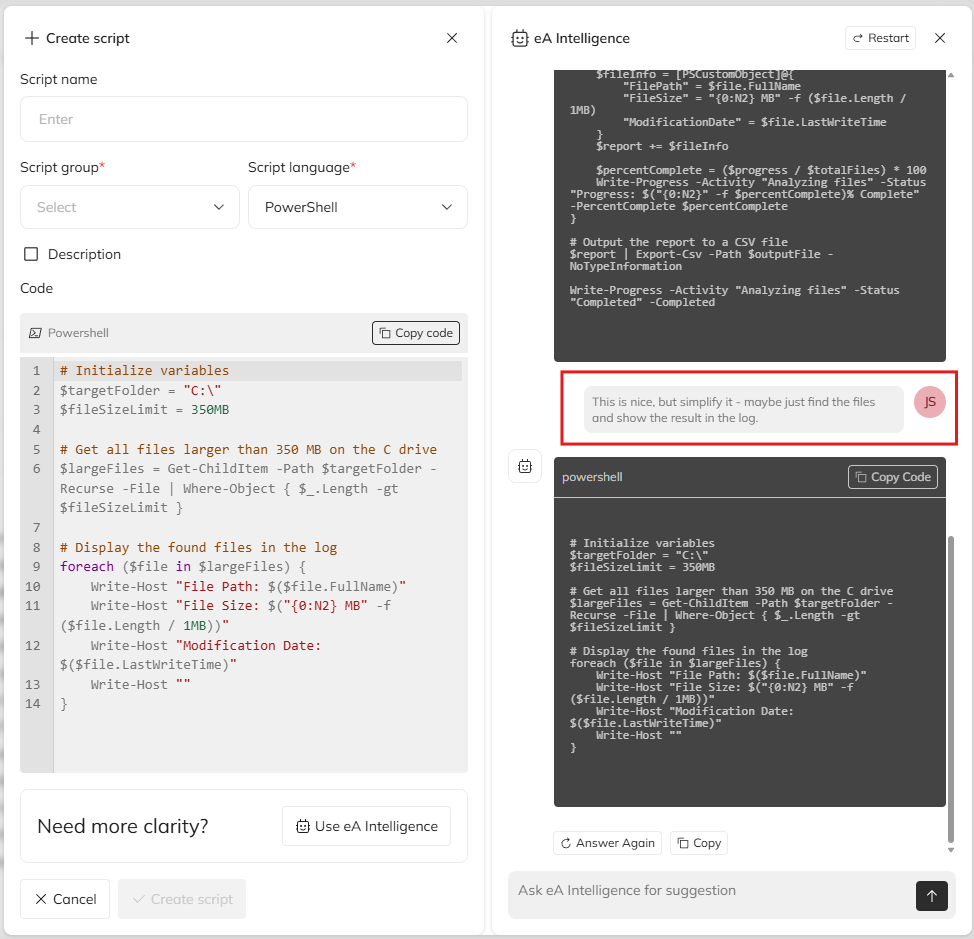
* analysis and improvement of existing scripts
* automatic formatting of generated code
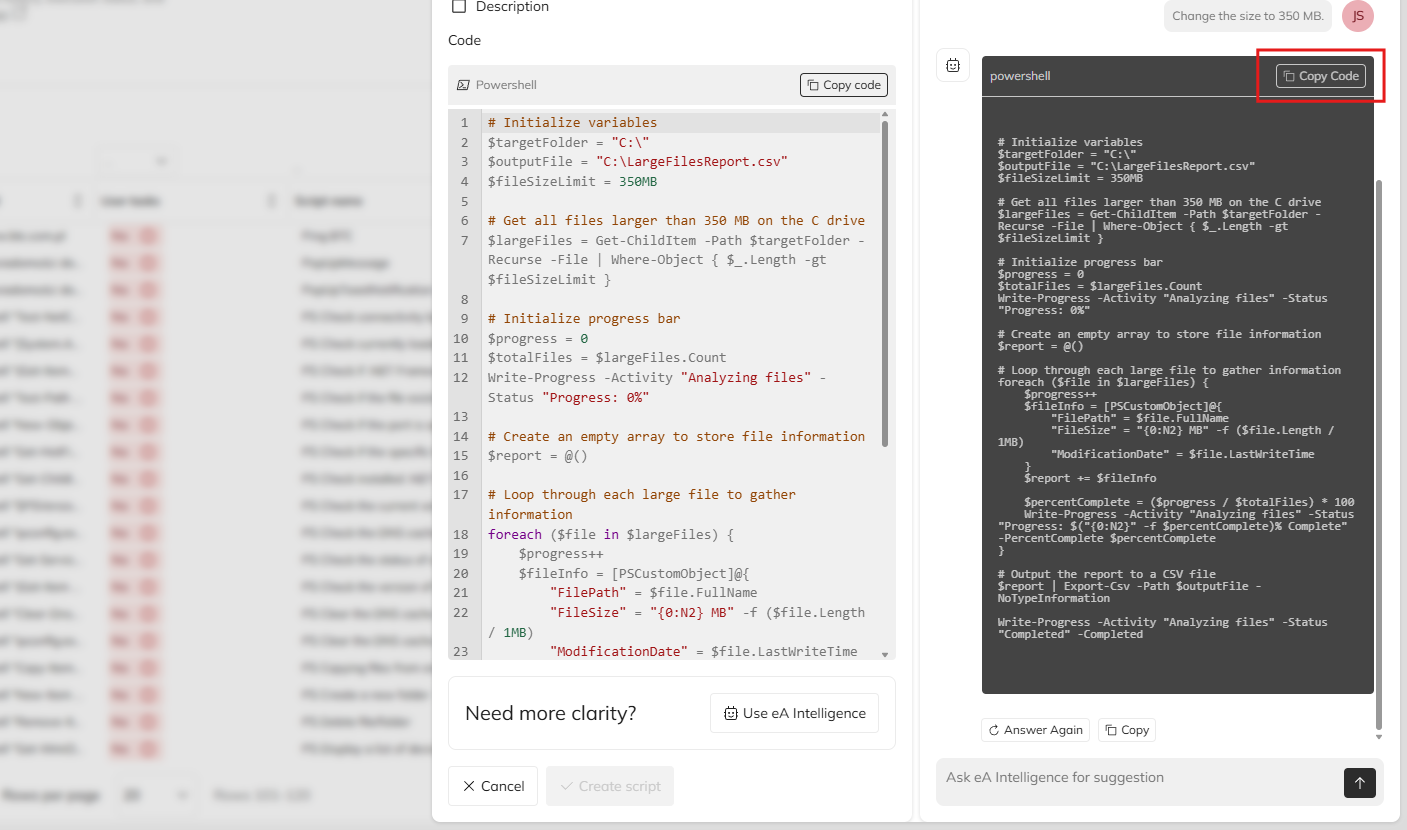
* quick copying of ready-to-run commands for execution in the system
#### Intelligent CMD and PowerShell assistant
An administrator can ask the assistant to generate a script in natural language. The system will prepare a command with correct syntax and structure.
It is also possible to paste an existing script for analysis. The AI assistant can point out syntax or logical errors and propose a corrected version.
#### Automatic code formatting
Generated commands are automatically formatted and prepared for use. The code can be copied with a single click directly from the assistant interface and used in administrative tasks.
This eliminates the risk of errors resulting from manual transcription of commands.
#### Natural communication
No specialized query syntax is required to use the AI features. An administrator may communicate with the system naturally by describing the task they want to perform.
#### Benefits
* significant acceleration of administrative task execution
* lowering the entry threshold for less experienced administrators
* rapid preparation of correct PowerShell and CMD scripts
* work convenience thanks to integration of AI features directly into the system
## Intelligent log analysis
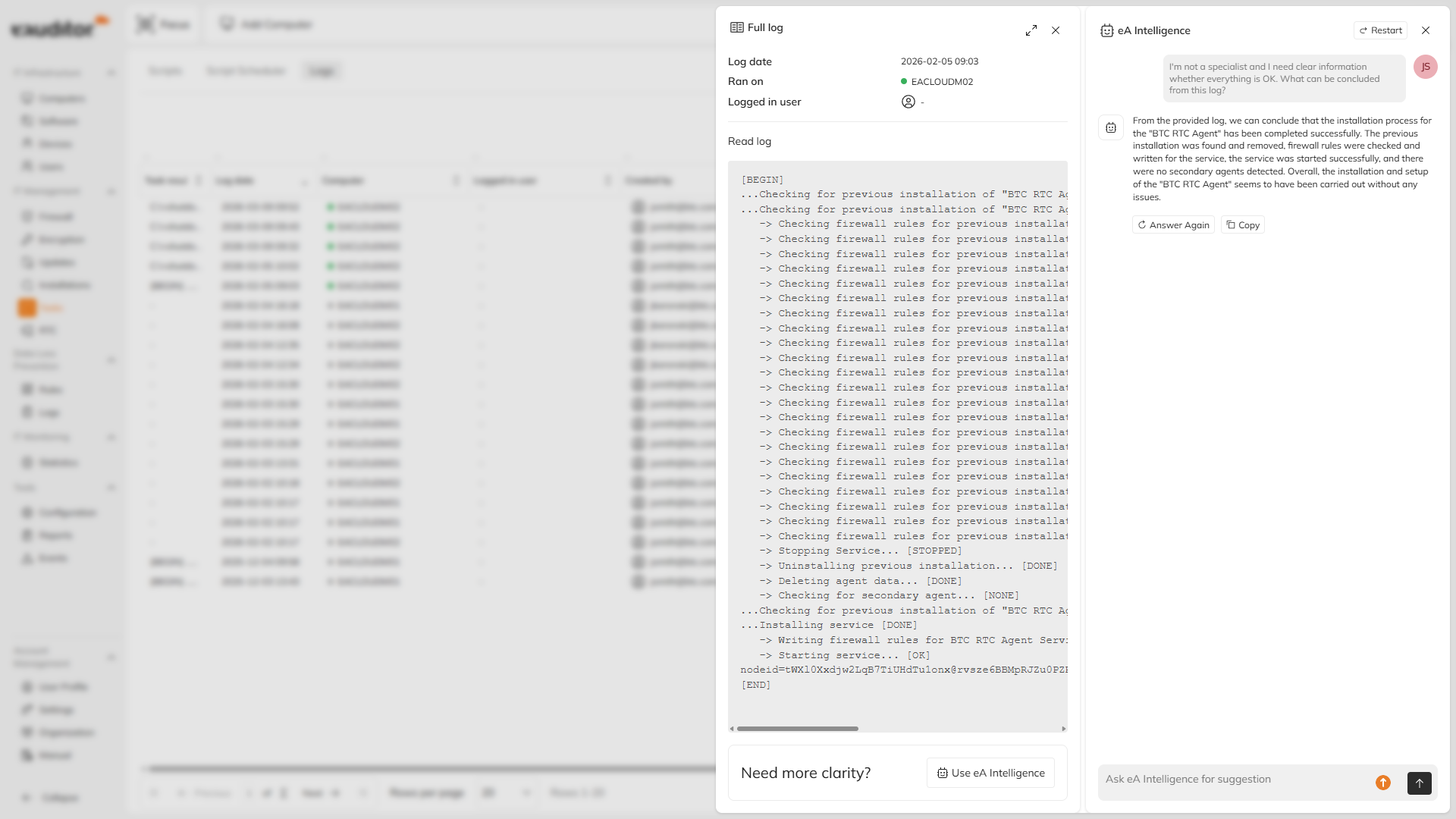
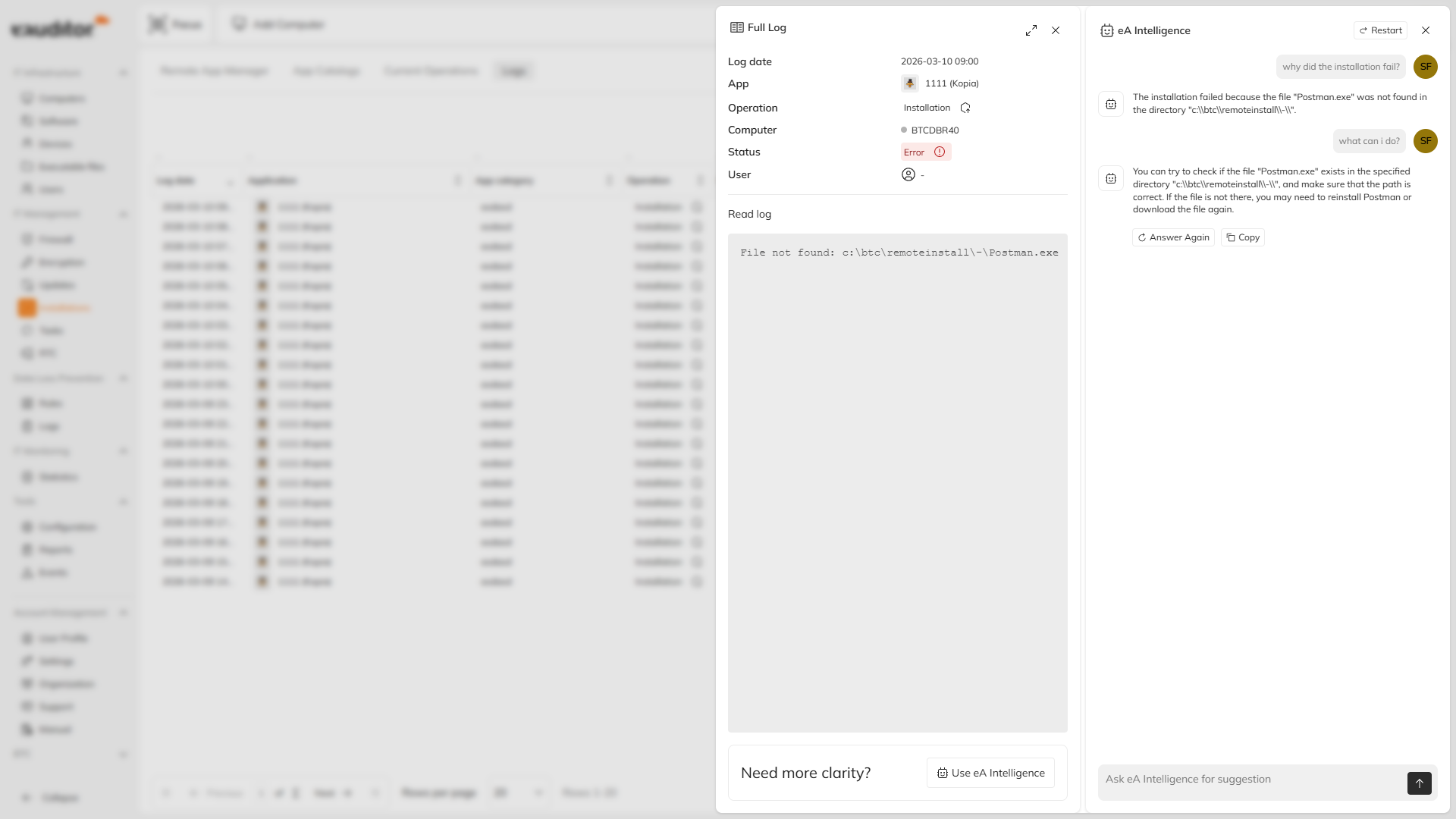
The system enables the use of artificial intelligence to analyze logs generated by the agent. The feature allows quick identification of the cause of errors that occur during tasks such as remote software installation or script execution.
An administrator can directly ask the AI assistant for the cause of an error visible in the logs. The system interprets error codes and proposes possible solutions.
#### Key capabilities
* system log analysis
* error code interpretation
* identification of problem causes
* recommendations for remedial actions
#### Real-time error diagnostics
The system can analyze logs in real time. The administrator does not need to manually search technical documentation; simply ask the AI, which knows the context.
#### Error context analysis
AI analyzes specific entries in logs along with the context of the operation that was being performed. This enables more precise identification of the root cause of the problem.
#### Solution recommendations
The system can propose specific remedial actions or problem-resolution scenarios in the form of step-by-step instructions.
#### Benefits
* faster resolution of technical issues
* reduction of the need for manual log analysis
* increased effectiveness of remote software installations
* time savings for administrators
## Website classifier
The system contains a website classification module based on artificial intelligence algorithms, [more](https://btc.com.pl/btc-ai/klasyfikacja-stron-www/). The mechanism analyzes visited sites in real time and assigns them to appropriate categories. The feature enables administrators to control access to web content and block potentially dangerous or undesired sites.
The classifier uses machine learning and deep learning technologies, which allow analysis of site content and characteristics.
#### Key capabilities
* automatic website classification
* real-time site content analysis
* blocking of dangerous sites
* integration with threat intelligence databases
#### Operational parameters
* 21 classification categories for sites
* analysis of sites in 52 languages
* operation in continuous mode 24/7/365
* classification accuracy of approximately 95%
#### Integrations with threat intelligence databases
The classifier can use external databases containing information about dangerous websites.
Available integrations include, among others:
* the CERT database containing a list of dangerous URLs
* Register of Gambling Sites
* the URLHaus database containing addresses of malware sites
The classifier can also be integrated with DLP to automatically block websites belonging to specific categories.
#### Security
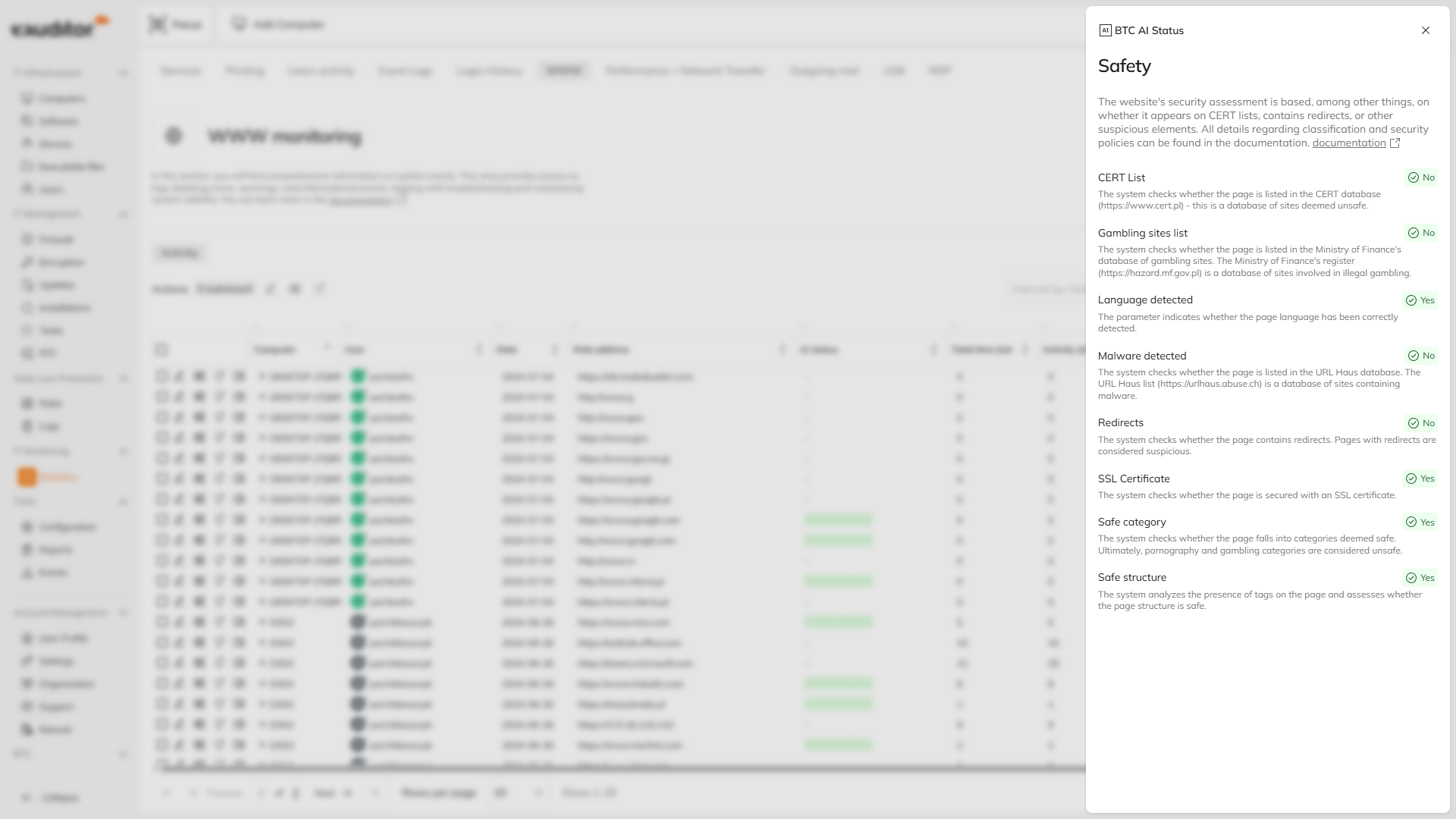
The assessment of a site's security is based, among other factors, on whether it appears on CERT lists, contains redirects, or other suspicious elements.
CERT list
The system checks whether the site is listed in the CERT database ([https://www.cert.pl](https://www.cert.pl/)) – this is a database of sites considered dangerous.
Gambling sites list
The system checks whether the site appears in the Register of Gambling Sites of the Ministry of Finance. The Ministry of Finance register ([https://hazard.mf.gov.pl](https://hazard.mf.gov.pl/)) is a database of sites participating in illegal gambling.
Detected language
The parameter indicates whether the site's language was correctly detected.
Detected malicious software
The system checks whether the site is listed in the URL Haus database. The URL Haus list ([https://urlhaus.abuse.ch](https://urlhaus.abuse.ch/)) is a database of sites containing malware.
Redirects
The system checks whether the site contains redirects. Sites with redirects are considered suspicious.
SSL certificate
The system checks whether the site is secured with an SSL certificate.
Safe category
The system checks whether the site belongs to categories considered safe. Ultimately, pornographic and gambling categories are considered dangerous.
Safe structure
The system analyzes the presence of tags on the site and assesses whether the site's structure is safe.
## Process classifier
[BTC Process Classification](https://btc.com.pl/btc-ai/klasyfikacja-procesow/) is a module using AI algorithms to analyze processes and applications running on the operating system. The mechanism analyzes executable files and their structure and assigns them to specific application categories. This allows administrators to more quickly identify potential threats or unwanted software.
{% hint style="warning" icon="screwdriver-wrench" %}
We are working on this functionality. We will announce its deployment in the changelog as soon as it becomes available.
{% endhint %}
#### Operational parameters
* 12 process categories
* classification time approximately 0.2 seconds
* operation in continuous mode 24/7/365
* classification accuracy approximately 92%
#### Process categories
Example categories include:
* antivirus software
* archivers
* databases
* games
* installers
* messengers
* multimedia and graphics
* developer tools
* system utilities
* system processes
* office programs
* web browsers
{% hint style="warning" icon="screwdriver-wrench" %}
We are working on this functionality. We will announce its deployment in the changelog as soon as it becomes available.
{% endhint %}
## BTC AI technologies
AI features in the eAuditor system are developed by BTC Sp. z o.o. - the producer of the eAuditor cloud solution.
BTC AI technologies use machine learning and deep learning algorithms to analyze data, classify processes, and assess the security of the IT environment.
These solutions are used, among others, in:
* website classification
* analysis of processes and applications
* system security mechanisms
More information about BTC AI technologies is available in the vendor's materials:
*
*
*
---
# Agent Instructions
This documentation is published with GitBook. GitBook is the documentation platform designed so that both humans and AI agents can read, navigate, and reason over technical content effectively. Learn more at gitbook.com.
## Querying This Documentation
If you need additional information that is not directly available in this page, you can query the documentation dynamically by asking a question.
Perform an HTTP GET request on the current page URL with the `ask` query parameter, and the optional `goal` query parameter:
```
GET https://eaclouddoc.eauditor.eu/eacloud-docs-en/features/ai.md?ask=&goal=
```
`ask` is the immediate question: it should be specific, self-contained, and written in natural language.
`goal` is optional and describes the broader end goal you are ultimately trying to accomplish on behalf of the user. GitBook uses it to tailor the answer towards what is most useful for that goal.
The response will contain a direct answer to the question and relevant excerpts and sources from the documentation.
Use this mechanism when the answer is not explicitly present in the current page, you need clarification or additional context, or you want to retrieve related documentation sections.